
Credits & Usage
How Credits Work
Credits are used to generate or edit images on Kira.
Each successful image generation or edit costs 5 credits
Credits are only deducted when the image is successfully produced
Failed, cancelled, or errored generations do not consume credits
This means you’re never charged for unsuccessful results.
Free Credits
Kira offers free credits so users can try the product without payment.
Daily Free Credits
Free users receive 15 credits per day
Free credits refresh automatically every day
Unused free credits do not carry over to the next day
Daily free credits are available as long as your account is on the free plan.
One-Time Free Credits
All registered users also receive a one-time free credit allowance of 30 credits when they create an account.
These credits are granted once per account
They do not reset automatically
They remain available until used
No payment method is required to start using Kira with free credits.
What You Can Use Free Credits For
Free credits can be used for all standard image features, including:
Text-to-image generation
Style Transfer
Image Upscale / Expand
Image editing (including inpainting and adjustments)
Replace / Remove Background
Inpaint / Erase
Redux
Adjust / Filter / Crop
Credit Cost Per Action
Action | Credits Used |
|---|---|
Generate an image | 5 credits |
Edit an image | 5 credits (Lite) |
Style transfer | 5 credits |
Image upscaling | 5 credits |
Inpainting / partial edits | 5 credits |
Video Generation | 15 credits/ second, 25 credits/ second (Ultra) |
Video Edit / Video Extension | 15 credits / second, 25 credits/ second (Ultra) |
Motion Control | 15 credits / second |
Music Generation / Add Vocals | 25 credits / song |
All credit costs listed above apply to Kira Lite and Nova. Image-related actions performed in Kira Ultra may consume 3–4× more credits.
Each successful output counts as one action.
Where to Check Your Credit Balance
You can view your remaining credits at any time:
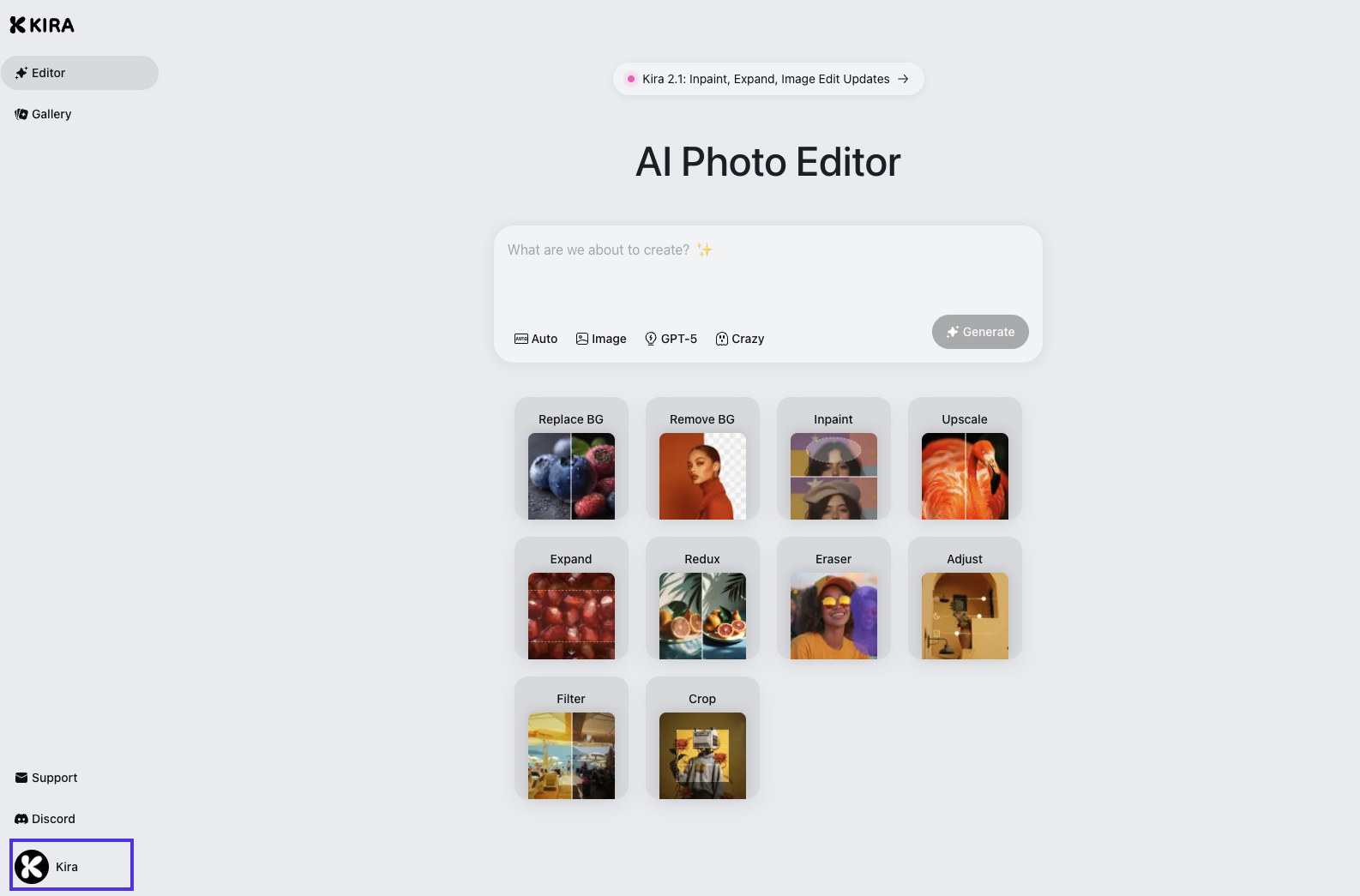
Click on your profile in the left navigation bar after logging into Kira
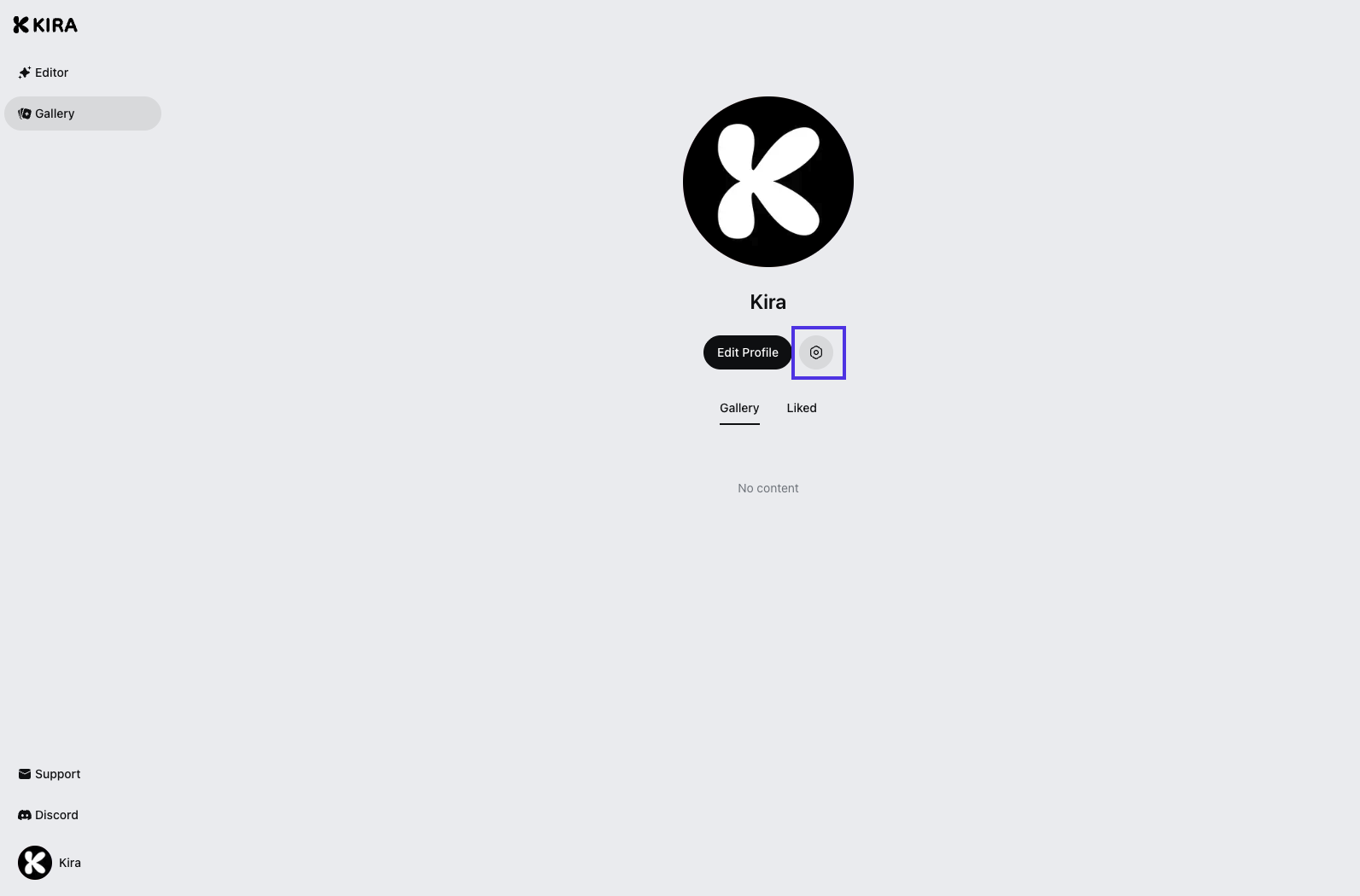
Click on Setting
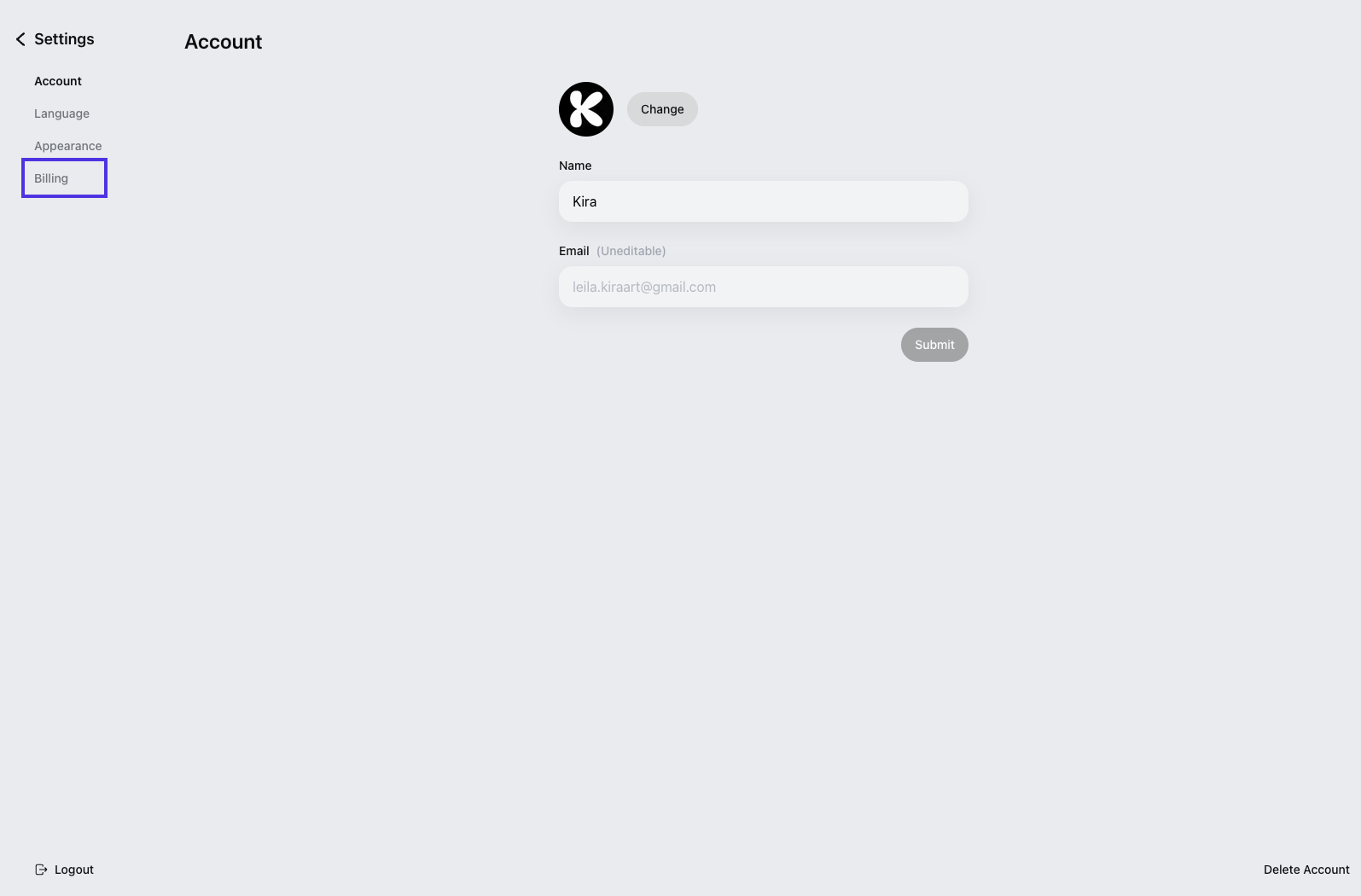
In Account, click Billing on the left
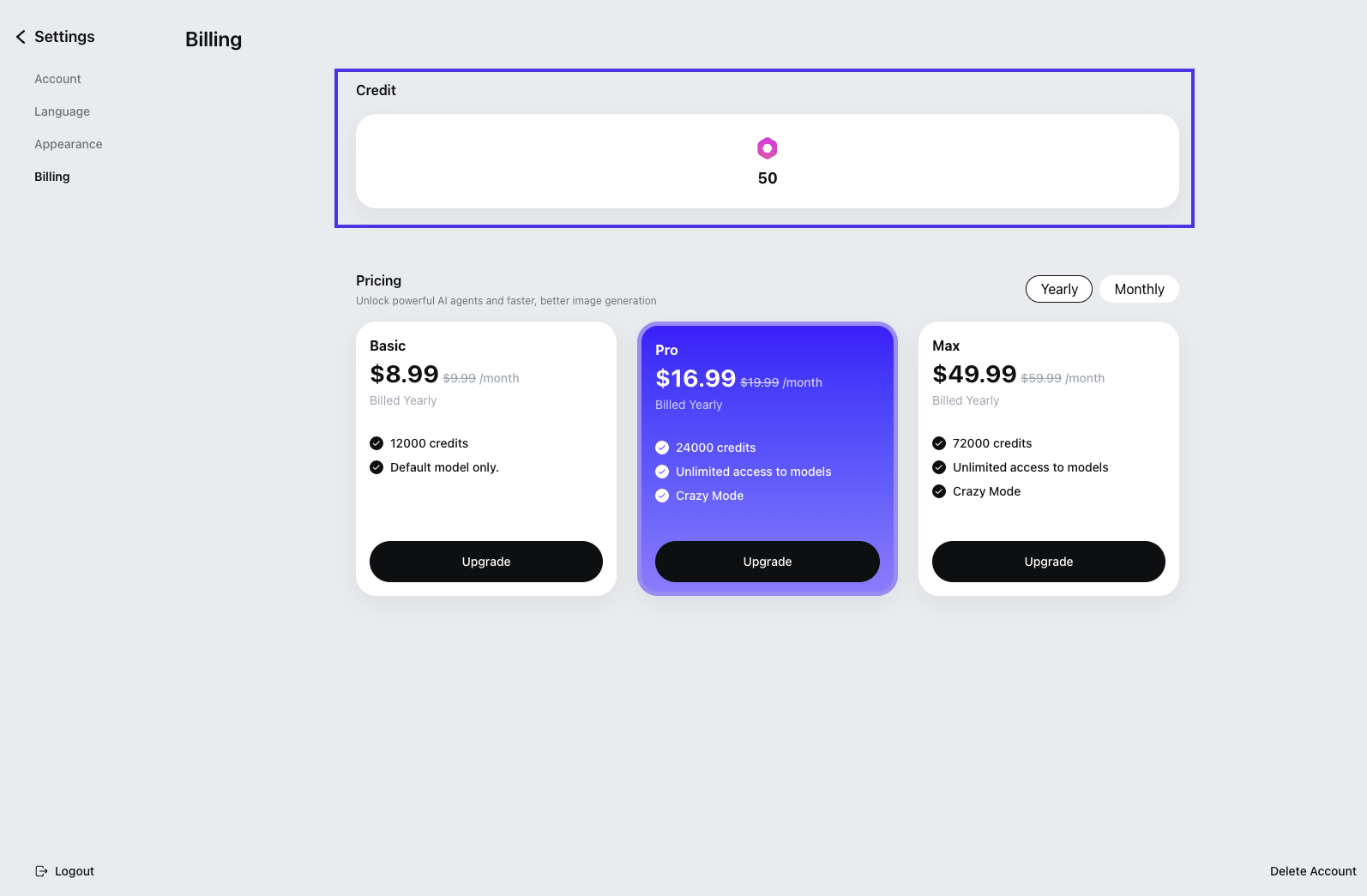
Before starting a generation or edit, where your current credit balance is displayed
Your credit balance updates in real time after each successful action.
When Credits Are Deducted
Credits are deducted only if:
The image is successfully generated or edited
A final result is returned
Credits are not deducted if:
The generation fails
The request errors
The task is interrupted before completion
What Happens When I Run Out of Credits?
When your credits reach zero:
You won’t be able to generate or edit new images
Existing images remain accessible
You can add more credits to continue using the service
Frequently Asked Questions
Do retries cost extra credits?
Only if the retry successfully produces an image.
Does changing prompts mid-generation cost credits?
No. Credits are charged only after a successful result is returned.
Are credits shared across features?
Yes. All image-related features draw from the same credit balance.