Kira 5.8: Sketch, Comment & Follow
Released: Sep.24.2026
Heads Up: Kira Has a Brand New Interface
The next time you log in on web, Kira will look different. This is a full redesign, not a small refresh, so here is what to expect before you get there.
Everything you made is still here: your creations, threads, credits and account are exactly where you left them. Only the layout has changed.
Your tools have a new home: the essentials like new, download, undo, redo and Publish now sit in a top bar. Your AI tools, including image and video generation, live in one toolbar on the right.
Your versions are on the left: a new version strip lets you jump between iterations of the same image.
Inpaint is now Sketch: if you are looking for Inpaint, it has been replaced by Sketch in the same toolbar.
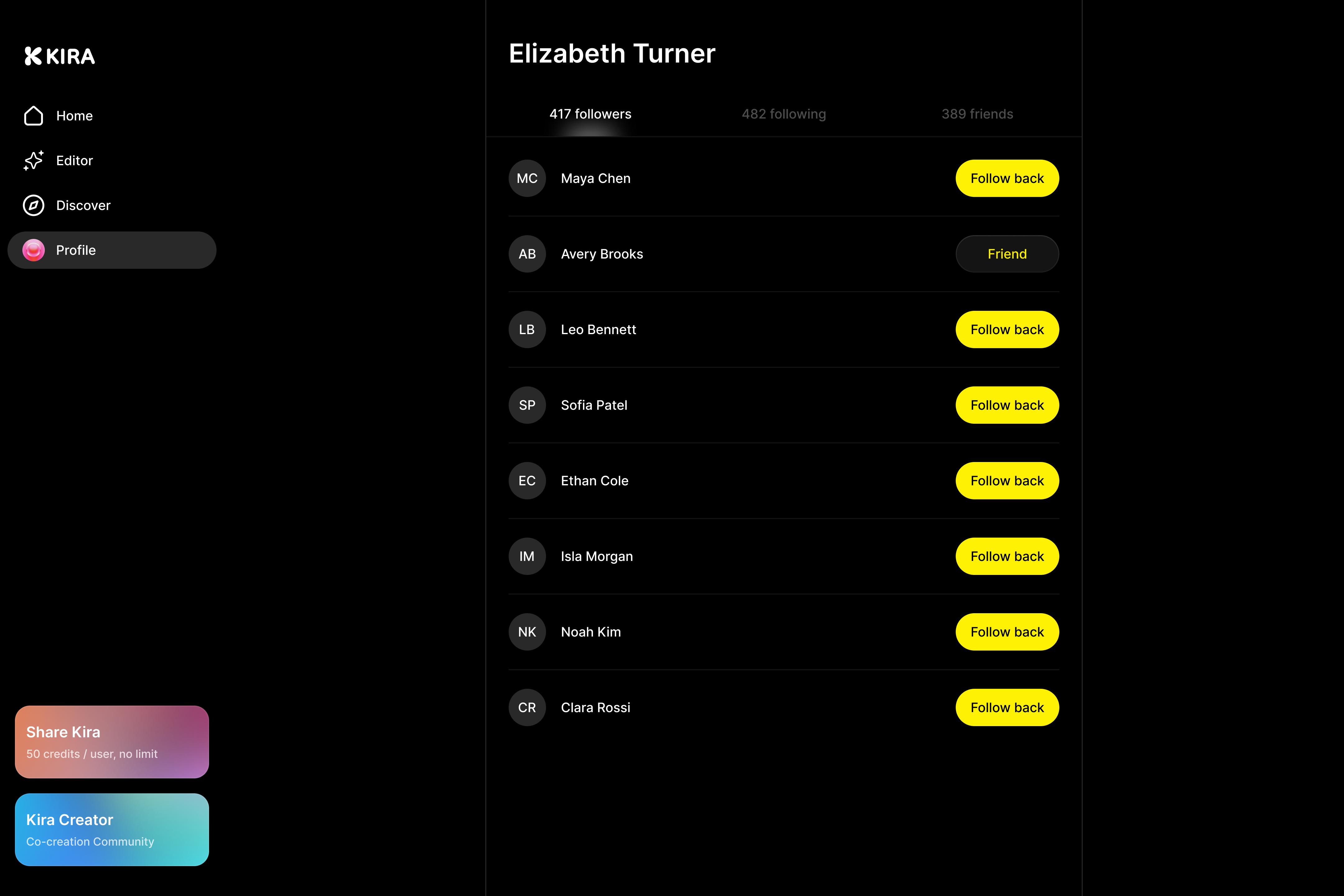
The feed and profiles look new too: posts open in a larger view with comments beside them, and profile pages have a fresh layout.
Give it a few minutes and it will feel like home. If you cannot find something, reach us through live chat and we will point you to it.
Kira 5.8 is about how you create and how you connect.
Sketch replaces Inpaint with something far more powerful: draw what you mean, right on the canvas, and Kira makes it happen.
Alongside it, Kira has a refreshed look, a smarter feed, and comments on every post.
What's New in this update
Sketch: Draw It, Describe It, Done
Sketch is the new way to tell Kira exactly where and what to change. It takes over from Inpaint, which has been retired. Instead of painting a mask, you draw directly on your image, add a short note, and Kira edits from your marks.
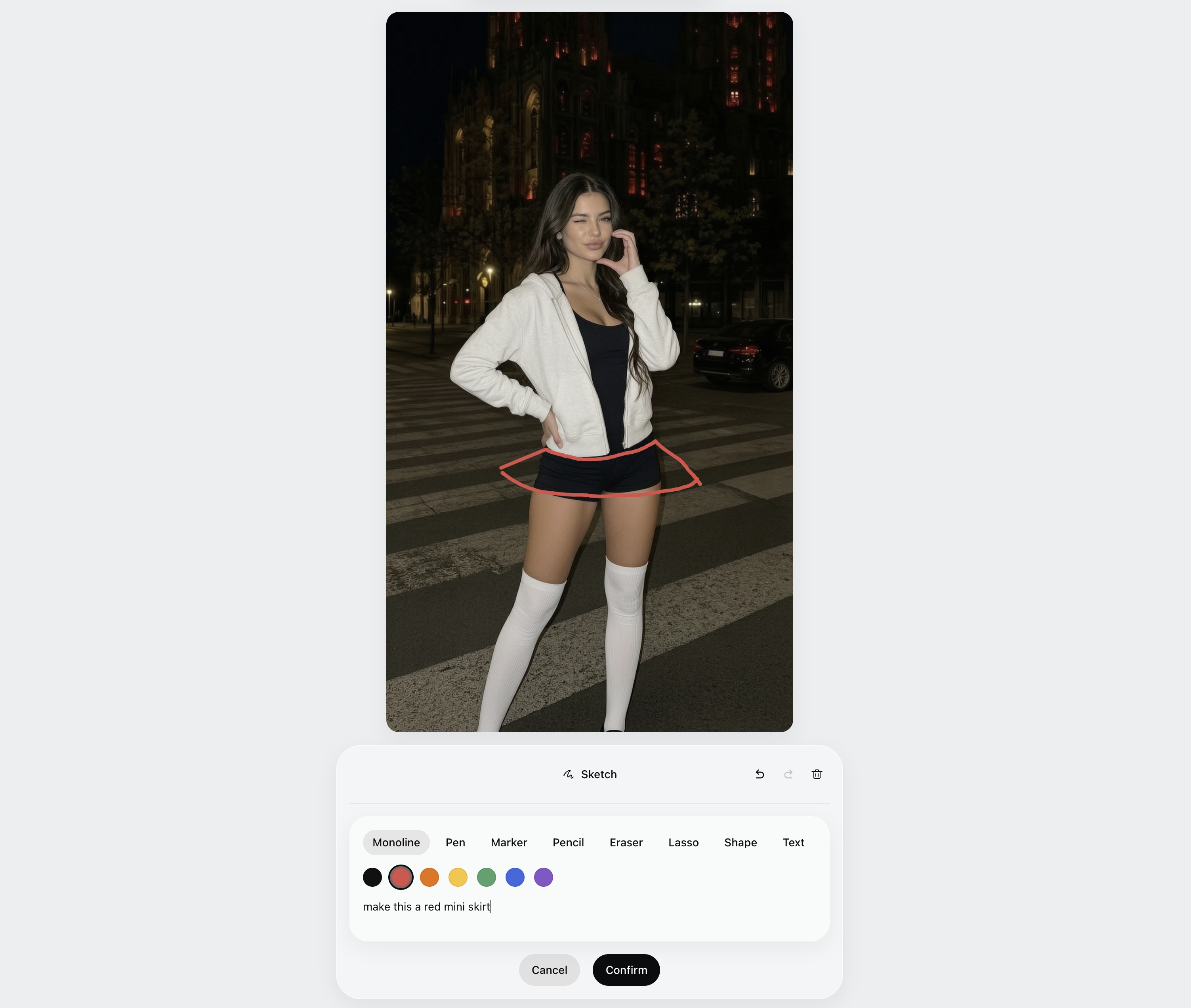
Sketch on an image: circle an area, draw an arrow, scribble a shape, then type one line like "make this a red mini skirt". Kira reads your marks, applies the change, and leaves no trace of the markup.
Sketch from scratch: open a blank canvas in 1:1, 4:3, 3:4, 16:9 or 9:16, freehand what you have in mind, and generate a finished image from your drawing.
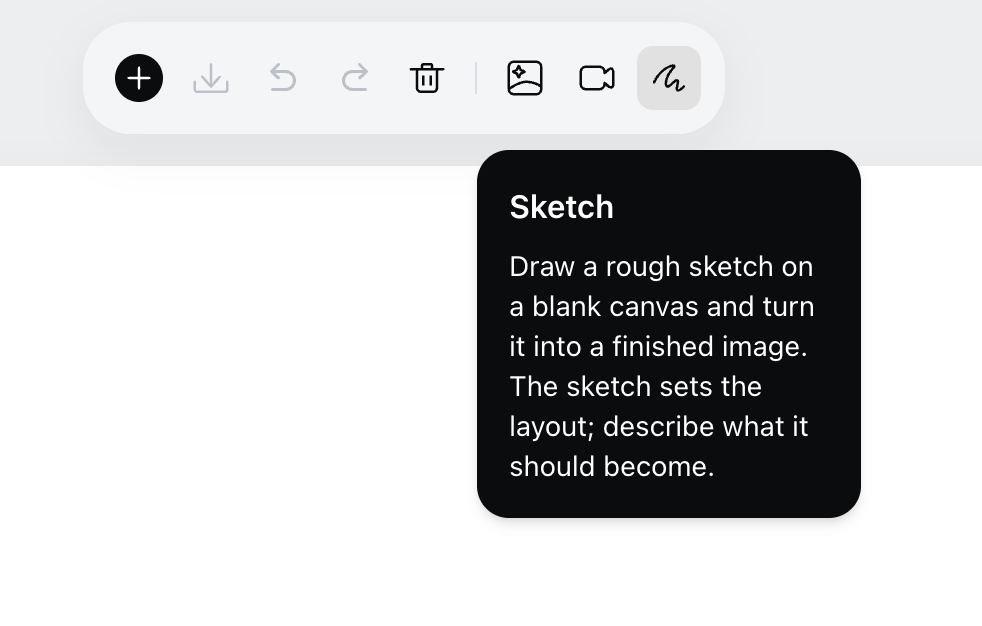
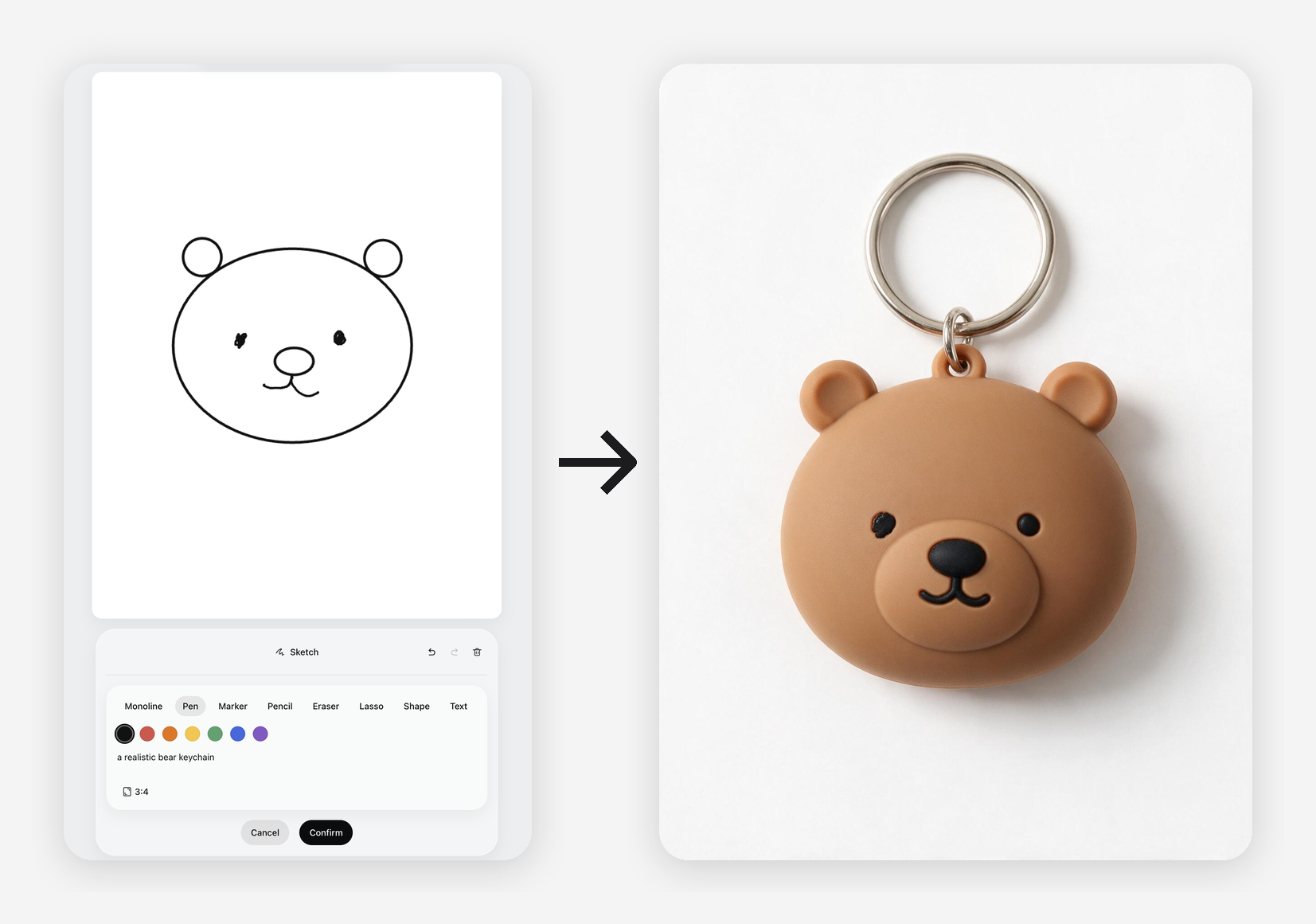
A real drawing kit: pen, marker and pencil with adjustable width and opacity, eraser, shapes with arrows and fills, text, and a lasso to move or copy parts of your sketch.
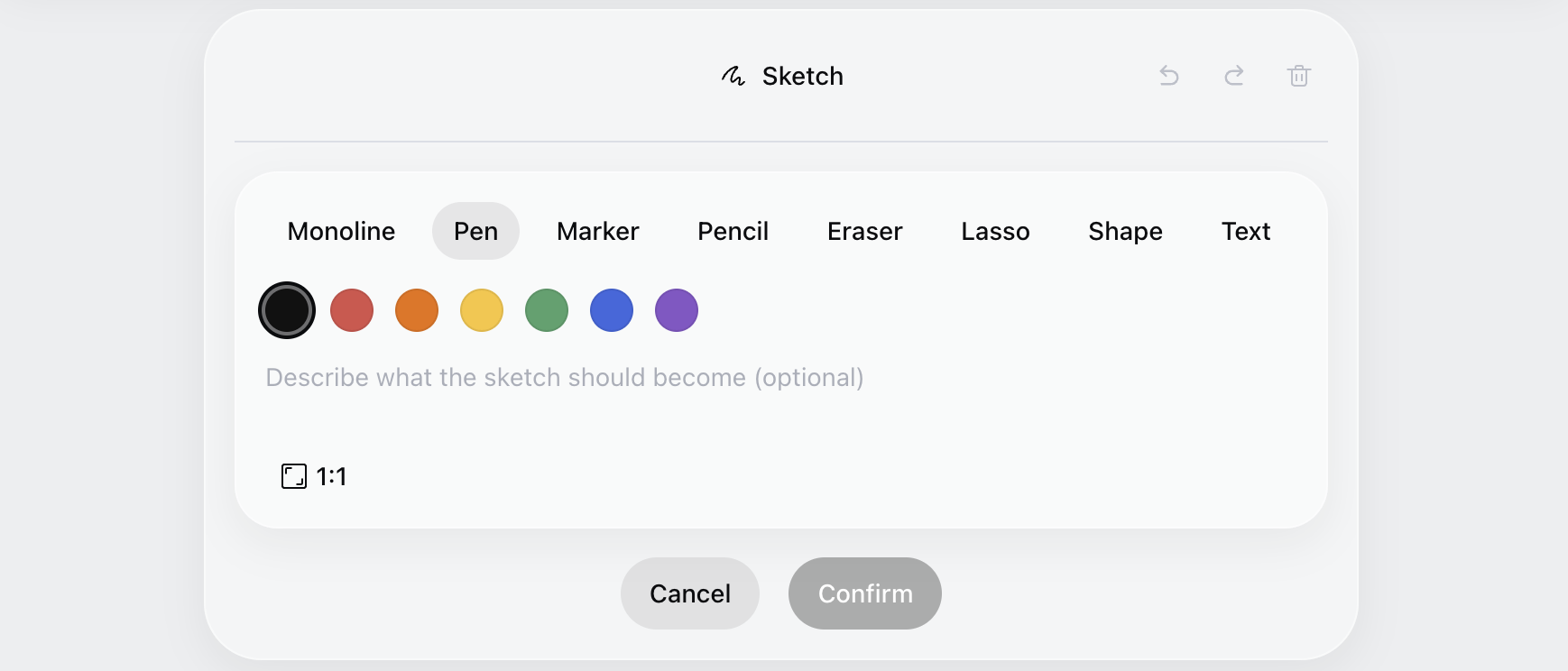
Made for speed: rough strokes snap into clean lines, arrows, rectangles and circles when you pause. Full undo and redo, zoom and pan, and pressure support for stylus users.
Comments on Posts
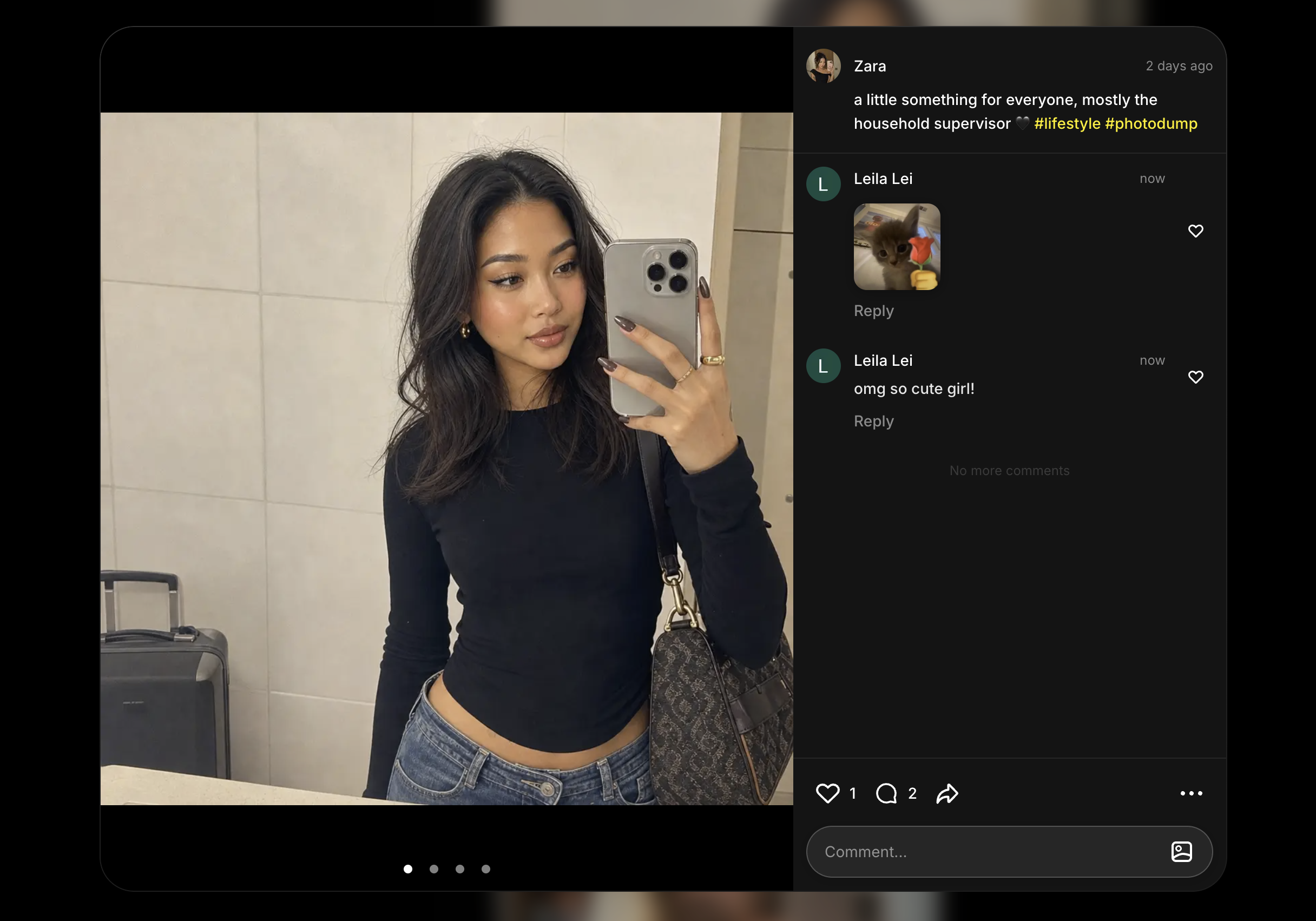
You can now talk about the work, not just like it. Comments are live on web, iOS and Android.
Comment and reply: leave a comment on any post, reply to others, and see the most-liked replies first.
Comment with images: attach a picture to your comment to show your own take or ask a question visually.
React and moderate: like or dislike comments, report anything that doesn't belong, and delete your own comments any time.
Follow Other Users
Found a creator whose work you love? You can now follow them and keep up with what they make next.
Follow from a profile or a post: tap Follow on any user's profile, or straight from one of their posts in the feed.
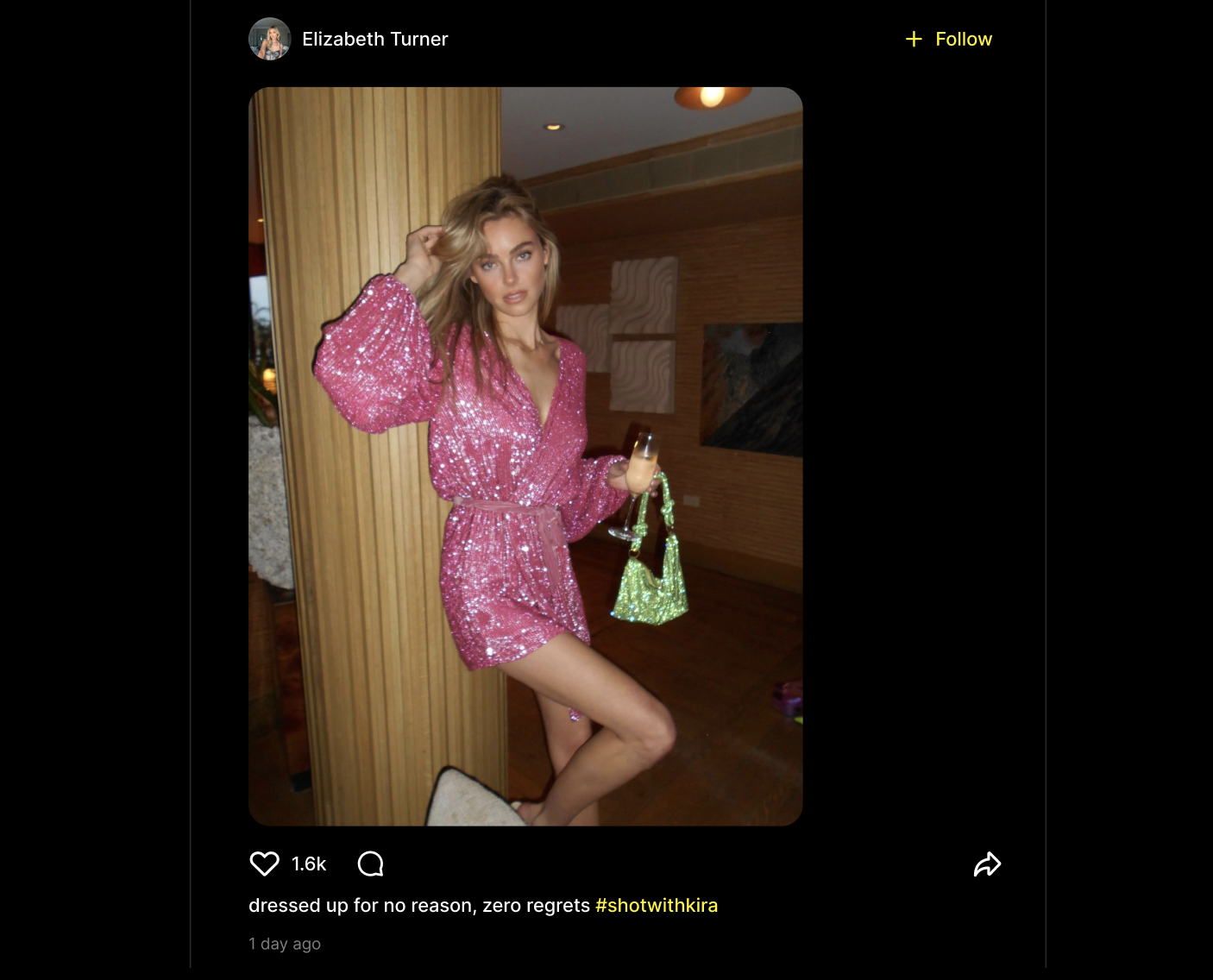
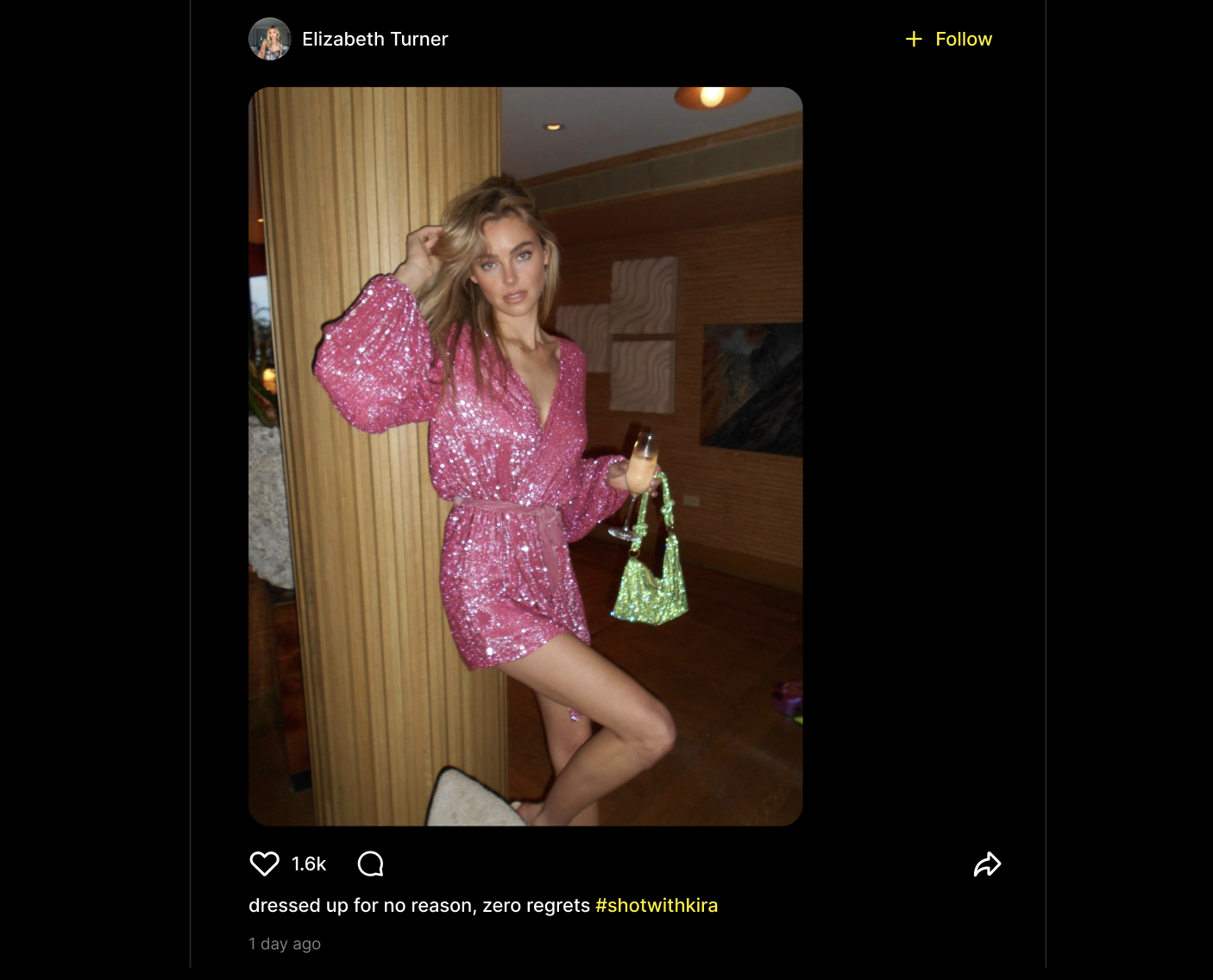
Never miss their new work: following keeps their latest creations in reach, so you can see what they publish as it lands.
Build your own audience: as people follow you, more of your posts reach the ones who want to see them.
A Refreshed Interface and a Smarter Feed
Kira on web has a new look, built around your work and the community around it.
Cleaner editor: a new top bar for the essentials, your AI tools in one place on the right, and a version strip on the left so you can jump between iterations.
Post detail view: click any post to open it large, swipe through multi-image posts, watch videos with a full player, and see the conversation next to it.
A better feed: the home feed now balances fresh posts with what people are liking and commenting on, and spreads out creators and styles so every page feels new.
How It Works
Open any image in the editor and pick Sketch from the tools, or start a blank Sketch canvas from the top bar.
Draw your marks: circle, arrow, shape or freehand. Add a line describing what you want.
Confirm, and Kira generates or edits the image from your sketch. Keep iterating from the version strip.
Publish to the feed, then tap the comment icon on any post to join the conversation.
Why This Matters
Words are a slow way to point. A circle and an arrow say "this, here" faster than any prompt can. Sketch turns the most natural gesture into a precise instruction, so edits land where you meant them the first time.
Starting from a blank canvas means an idea in your head can become a finished image without a reference photo or a perfect prompt. Rough is enough.
And creating is better together. Comments turn the feed from a gallery into a conversation, and a smarter, more varied feed makes sure more creators get seen.
What's Next
We are just getting started with Sketch and the new design.
Sketch on mobile, and more ways to guide generations with your own drawings.
The redesign rolling out to more of Kira, including editing panels and the mobile experience.
More ways to connect around the work you share.
As always, your feedback helps shape what comes next.