Kira 5.8.1: Web Image Search & Smart Clarify
Released: Sep.10.2026
Kira 5.8.1 brings the web into your workspace and makes every edit more precise.
You can now search for images without ever leaving Kira, and use what you find as the starting point for your next creation.
And when your request could go a few different ways, Kira asks first, so the result matches what you actually had in mind.
What's New in Kira 5.8.1
Search Images Directly in Kira
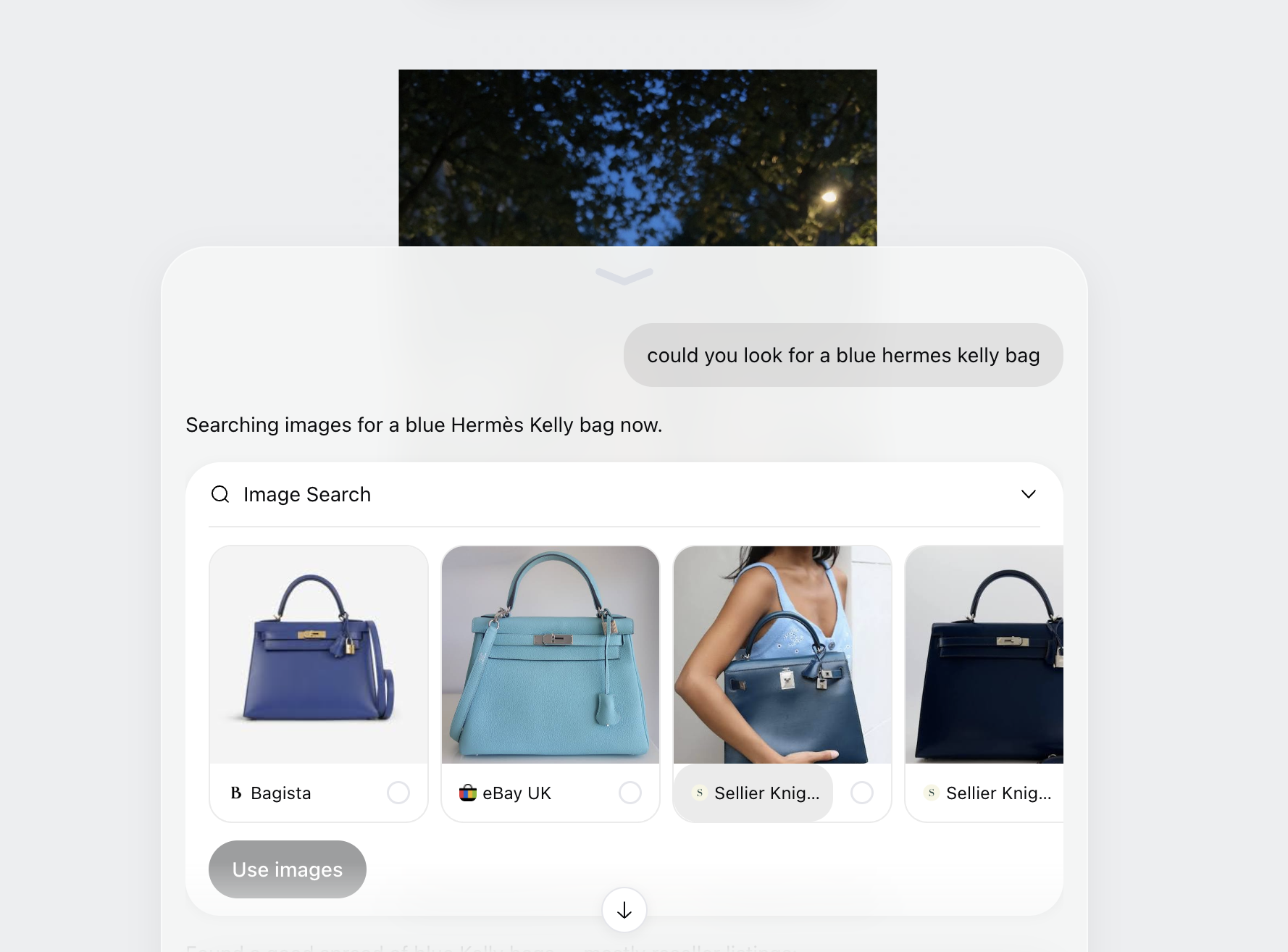
A powerful new search lets you find pictures from the web right inside Kira.
Type what you are looking for and get visual results instantly, without opening another tab.
Browse results in a clean grid built for picking references fast.
Works for anything: outfits, poses, backgrounds, products, styles, or inspiration.
Use Web Images in Your Creations
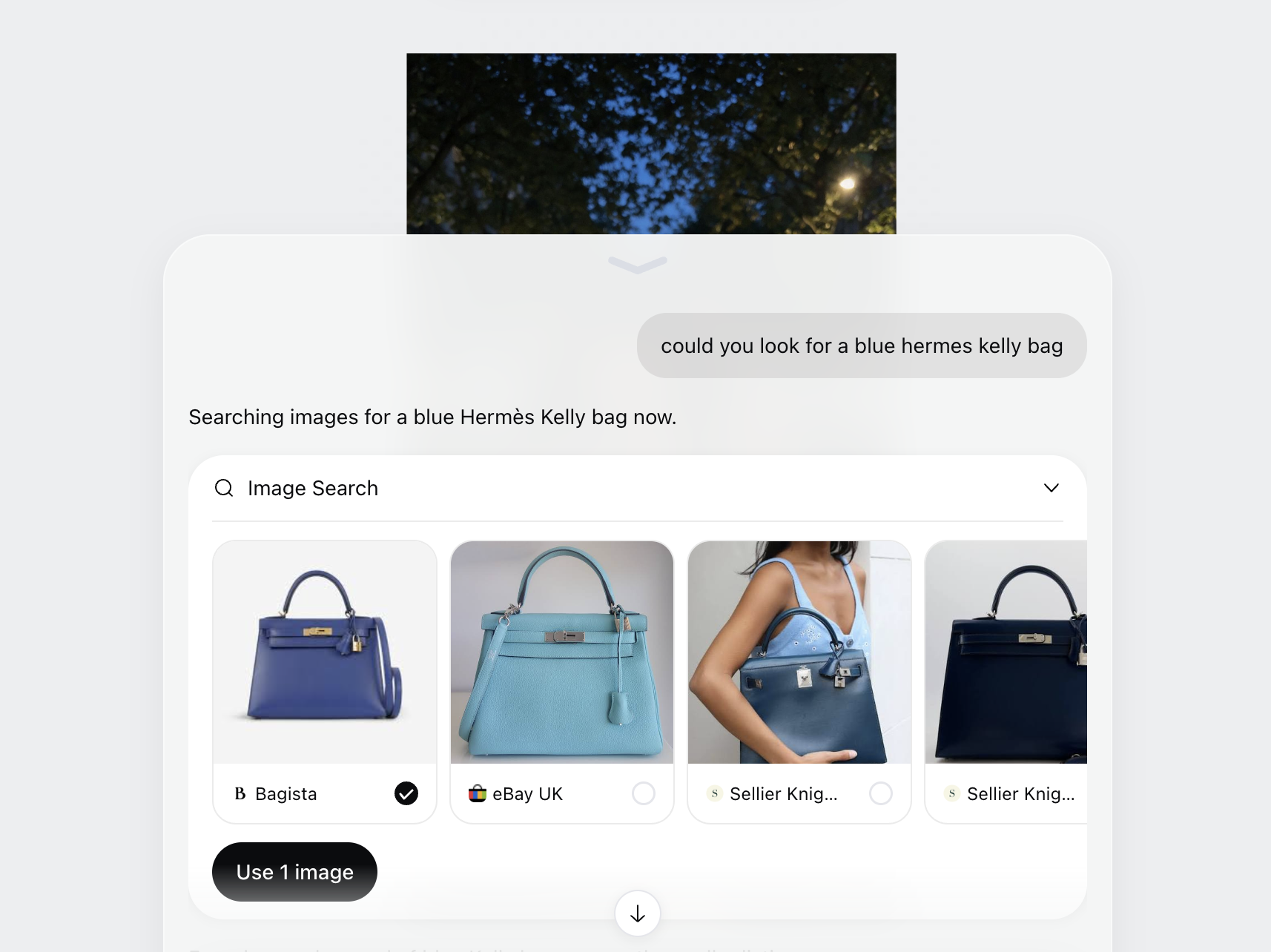
Any image you find can be used immediately as a reference or input for your generation.
Select a search result and it drops straight into your prompt, ready to use.
Combine web images with your own uploads in the same creation.
Skip the download, save, and re-upload loop entirely.
Kira Asks Before It Edits
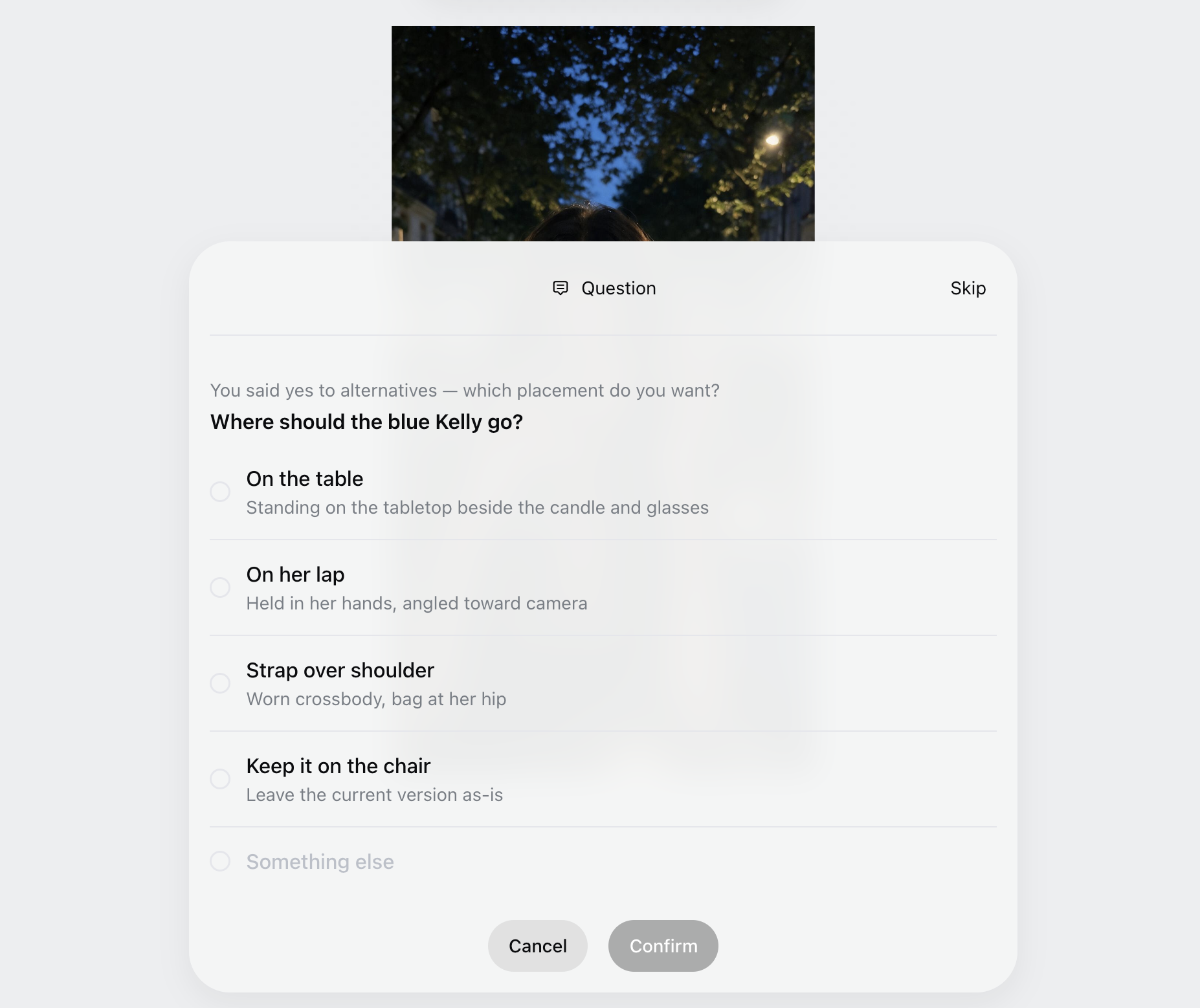
When an edit request could be read more than one way, Kira now asks a quick clarifying question and offers you a few choices to pick from.
Ask for a change like "make the background nicer" and Kira might offer options such as a studio backdrop, a soft outdoor scene, or a clean solid color.
Tap the choice you want and Kira applies the edit with that direction locked in.
No long prompts or guesswork. Fewer retries, and results that land closer to what you pictured on the first try.
A Faster Path From Idea to Image
Search, clarification, and creation now live in one flow, so you spend less time gathering and re-prompting and more time making.
Go from a rough idea to a reference to a finished result in a single session.
Everything stays in your Kira workspace, organized and ready to reuse.
How It Works
Open Kira and start a new creation.
Directly ask Kira describing the image you are looking for.
Pick a result or results from the grid to add it to your prompt.
Describe the edit you want. If Kira needs more detail, it will show a short question with a few choices.
Pick the option that matches your idea, then generate.
Why This Matters
Great results start with great references. Until now, finding them meant leaving Kira, hunting through browser tabs, and manually bringing files back in.
With search built in, the reference you need is seconds away, and it goes straight into your creation. Less friction, fewer steps, and more room to experiment.
Precision matters just as much. A short question up front saves you from a cycle of generate, tweak, and try again. Kira does the interpreting, you make the call, and the edit comes out aligned with what you wanted.
Whether you are recreating a look, matching a style, or just exploring, you can now do it all in one place, with no special skills required.
What's Next
This is the first step toward making Kira the place where every creative idea begins.
Smarter search that understands style, mood, and composition, not just keywords.
Saved searches and collections so your best references are always within reach.
Clarifying questions that learn your preferences, so Kira asks less over time and gets it right more often.
As always, your feedback helps shape what comes next.