
Kira 3.0: Video Generation
Released: Feb.10.2026
This is our most anticipated update yet.
For a long time, many of you have asked for image-to-video generation, and we’re excited to finally say: it’s here!
With Kira 3.0, you can now turn your edited images into videos, bringing still visuals to life in just a few steps.
What’s New in Kira 3.0
🎥 Image to Video Generation
You can now generate videos with your prompt or directly with from your images.
Start with a generated or edited image or write a prompt from scratch
Describe motion, camera movement, or mood using natural language
Kira creates a short video based on your prompt and/or image
This lets you move seamlessly from image → motion without leaving Kira.
How It Works
Create or edit an image in Kira
Choose Video Generation
Describe how you want the image to move
Camera motion
Subject movement
Mood or pacing
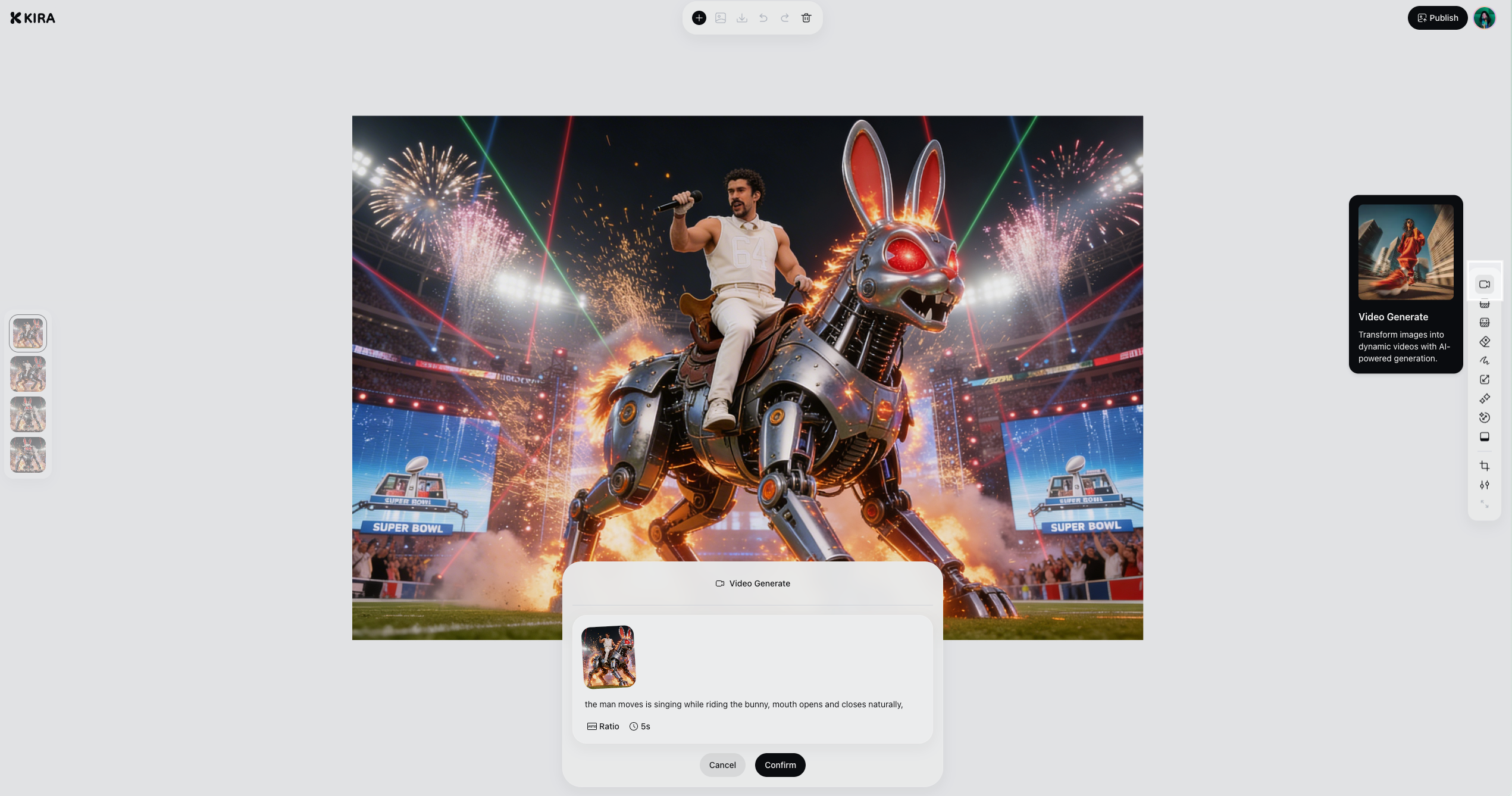
Generate and preview your video
No complex setup. Just describe what you want.
What You Can Create
Video generation opens up new creative possibilities, including:
Cinematic camera moves from still images
Subtle motion for portraits and scenes
Animated visuals for social media and storytelling
Bringing concepts, characters, and designs to life
If you already know how to edit images in Kira, video generation fits naturally into your workflow.
Why This Matters
Kira has always been about helping you create faster and iterate freely.
With video generation, you can now:
Extend your ideas beyond static images
Experiment with motion without traditional video tools
Build richer stories from a single image
This is a big step toward a more complete creative workflow.
What’s Next
Video generation in Kira 3.0 is just the beginning. We’ll continue improving:
Motion quality
Control and consistency
New video styles and use cases
As always, your feedback helps shape what comes next!